
Best Practices: How to Keep Track of Managed Services and Contract Profitability in Autotask
Every managed service you sell ends up as lines in Autotask: on the quote, on the contract and on the invoice. When the proposal shows one thing and the contract holds another, you lose track of what each client pays for and what it costs you to deliver. Bundles in Salesbuildr keep the proposal simple for the client and the detail complete in Autotask.
- The client signs one bundle line. Autotask still receives every component, with its own cost and price.
- After approval, Add Items to Contract pushes recurring lines into a Recurring Service contract, or onto an existing one.
- One-time products go onto the Autotask ticket as charges, so the invoice can match the quote.
- Start with two or three bundles built from what clients already buy together.
Table of contents
Quote One Line, Keep Every Component
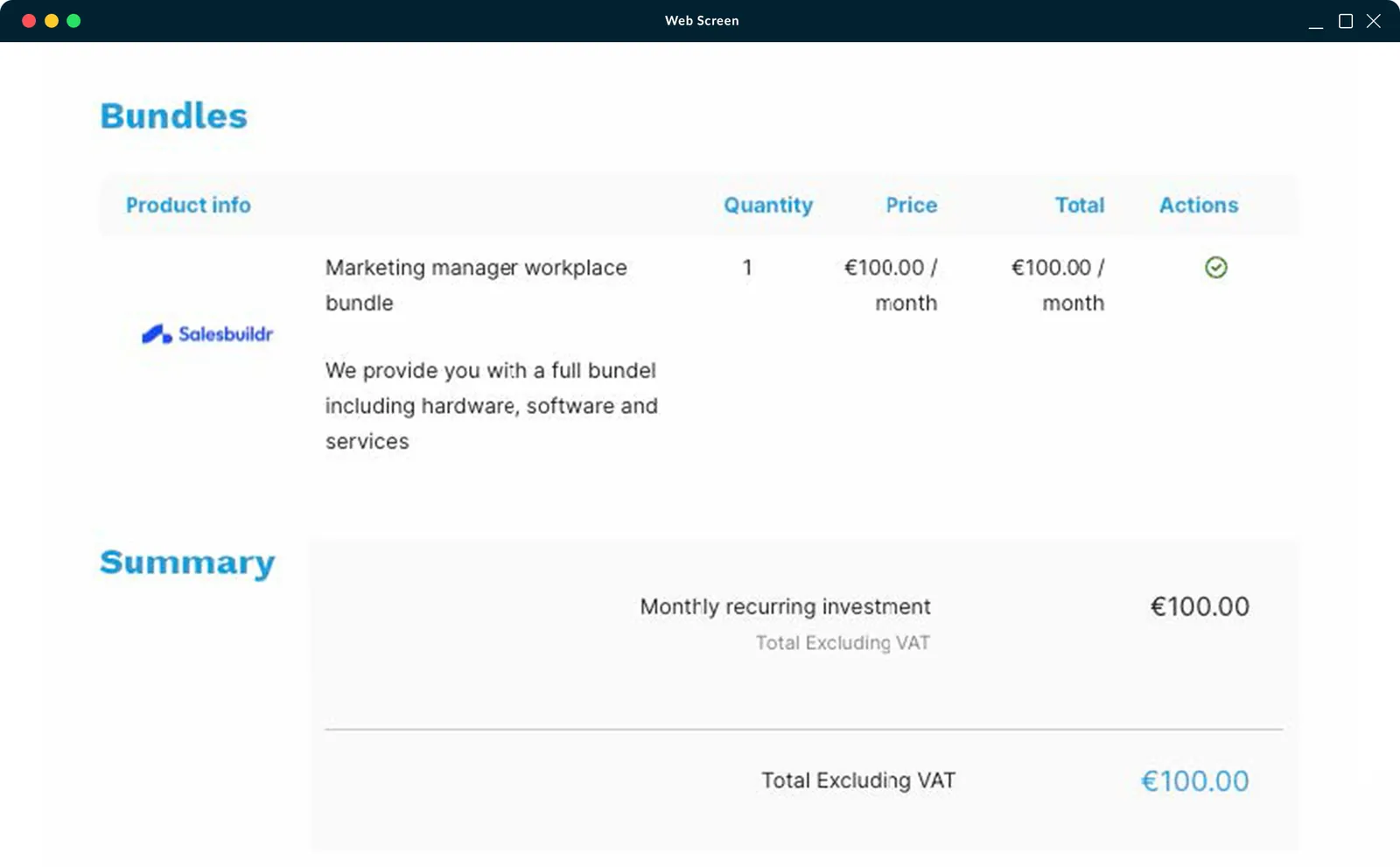
A bundle combines hardware, software, services and labour into one package with one price. On the proposal, the client reviews and signs a single line. When you create the proposal, Salesbuildr pushes every individual line item to Autotask, so your PSA holds the full detail behind the bundle price.
Why the Line Items Matter for Profitability
- Margin per component. Each item keeps its own cost and price, so you can see which part of a bundle earns money and which part doesn't.
- Billing that matches the quote. Product lines carry through to the Autotask ticket as charges, and services go onto the contract, so the invoice reflects what the client signed.
- Delivery knows what was sold. The service desk sees the laptop, the licence and the setup hours behind "New starter bundle".
See a bundle become a contract
Bring a package you sell often. We will follow it onto the Autotask contract.
Recurring Services Become an Autotask Contract
Recurring service lines follow a different route. After the client approves the quote, click Add Items to Contract to push the recurring lines into Autotask. Autotask creates a Recurring Service contract with the items as contract services, or adds them to an existing contract. One-time products go onto the Autotask ticket as charges.
The contract stays linked to the quote, so every contract service can be traced back to what was quoted and signed. If you run ConnectWise, the same step creates a recurring Finance Agreement with the items as agreement items.
Best Practices for Bundles in Autotask
- Start from what clients buy together. Look at your recent quotes and list the products and services that keep appearing side by side, such as a new starter's laptop, licence and setup hours.
- Keep the number of bundles small. Start with two or three and add more once your reps use them.
- Name bundles for the client, components for your team. "Secure Workplace" means something to a client; the component names should be the ones your service desk and finance team recognise in Autotask.
- Check the margin before you publish. Set the bundle price, then check cost and margin on every component.
- Review when vendor prices change. When a component's cost goes up, check that the bundle still makes margin.
Check margin on each component
We will open a bundle and show cost and price on every line.
Getting Started
Bundles are available on every Salesbuildr plan, and the integrations with Autotask, ConnectWise and Halo are two-way on all plans. Book a demo to see a bundle go from proposal to Autotask contract.
For the full sales workflow around it, from Autotask opportunity to contract and ticket, read how to automate MSP sales workflows in Autotask.