
Stop Managing Your Sales Portfolio. Start Automating It.
Keep your product catalog perfectly synchronized with distributor pricing, availability, and product details from distributors like Pax8, all while automatically updating your PSA system.
Illustrative dashboard · your data will vary
Your catalog, always current
One catalog for hardware, licenses, services and labor, with price rules that follow cost and the same products synced to your PSA.
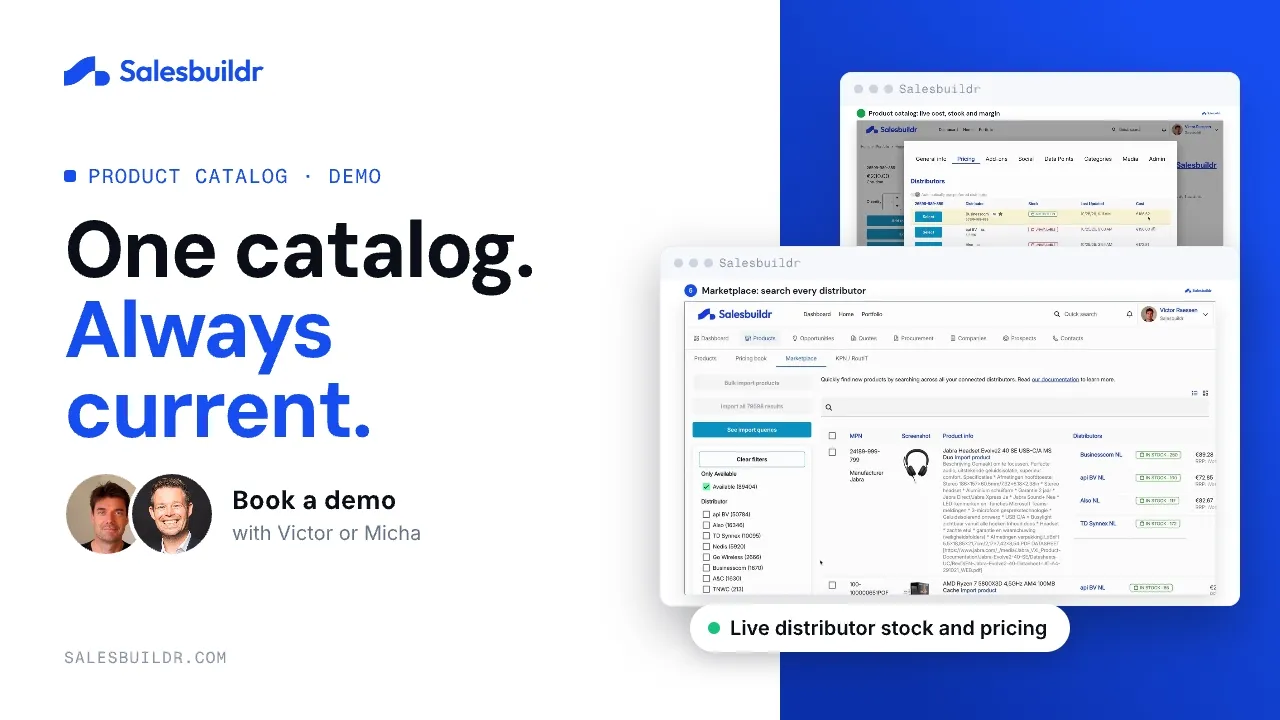
Product catalog: cost, stock and price rules
2:11 · Recorded October 2026
How do you standardise your MSP offering and stop quoting different prices every time?
Put every product and service you sell in one catalog, give each one a single description and price, and let every quote start from that catalog instead of a previous quote. Prices then change in one place, and client-specific deals live in a pricing book instead of in a seller’s head.
A checklist to standardise your portfolio
- Decide what you sell. List your managed services, projects, labour and the hardware and software you resell, and drop what you no longer want to sell.
- Group it into categories. Use the same categories your PSA uses, so quotes and the PSA stay aligned. See service, labour or product.
- Write one description per item. The same wording for “Managed Firewall” in every proposal. See creating clarity and consistency in your MSP portfolio.
- Set markup rules per category. Sell prices follow from cost plus your rule, so two sellers can’t quote the same item at two prices.
- Package common combinations. Turn the services you always sell together into bundles that quote as one line.
- Handle exceptions in pricing books. Agreed prices for a specific client go in a pricing book, not in a one-off edit.
- Review it every quarter. Look at what was typed by hand on recent quotes and add it to the catalog or a bundle.
In Salesbuildr the catalog syncs with Autotask, ConnectWise Manage or Halo, and distributor prices from Pax8, Ingram Micro and other connected distributors update daily, so the standard holds without manual upkeep.
Your Sales Portfolio: The Foundation of MSP Revenue
Sales portfolio management is the strategic organization, pricing, and presentation of all your products and services in a centralized catalog. For MSPs, this includes everything from software licenses and hardware to managed services and professional consulting.
The Traditional Challenge
- Manually updating hundreds of products across multiple systems
- Chasing distributor pricing changes and availability updates
- Keeping PSA systems in sync with current offerings
- Creating professional proposals with outdated information
The Modern Solution
- Automated distributor integration with distributor cost updates
- Seamless PSA synchronization maintains data integrity
- Professional proposals with always-current information
- Dramatic reduction in manual catalog maintenance tasks
Why Portfolio Management Matters
A centralized, automated catalog doesn’t just save time. It protects revenue, tightens operations, and shapes how customers experience your business.
Revenue Impact
- Accurate Pricing: Never lose deals due to outdated pricing
- Faster Quoting: Generate proposals in minutes, not hours
- Upsell Opportunities: Intelligent product recommendations
- Margin Protection: Automated markup application
Operational Efficiency
- Time Savings: Eliminate manual catalog busywork
- Data Accuracy: Distributor synchronization prevents errors
- Streamlined Workflows: One source of truth across systems
- Team Productivity: Focus on selling, not data entry
Customer Experience
- Professional Presentation: Rich product pages with details
- Self-Service Options: 24/7 browsing and purchasing
- Consistent Information: Same data across all touchpoints
- Faster Response: Instant access to current pricing
From Manual Chaos to Automated Precision
Every product, category, and price point in your catalog stays current, automatically, from the moment a distributor updates it to the moment a customer sees it.
Automated Distributor Integration
- Direct connections to Pax8, Ingram Micro, CSP Portal
- Daily automatic price and availability updates
- Intelligent product matching
- Bulk import capabilities
Dynamic Pricing Management
- Category-based markup rules
- Distributor cost updates
- Price history tracking
- Flexible pricing strategies for margin protection
Seamless PSA Synchronization
- PSA sync with Autotask, ConnectWise & Halo
- Automatic product updates
- Service mapping for recurring revenue
- Data integrity maintenance
Rich Product Experiences
- Auto-populated descriptions & images
- Customizable product pages
- Intelligent add-on suggestions
- Category-based organization
Results MSPs See After Automating Their Portfolio
From the first month to the first two quarters, automated portfolio management compounds, less firefighting, more revenue.
- Major reduction in time spent on catalog maintenance
- Elimination of pricing errors in proposals
- Faster quote generation · minutes vs. hours
- Improved proposal win rates due to accuracy
- Increased average deal size through intelligent upselling
- Higher customer satisfaction with self-service options
- Improved sales team productivity and morale
- Better profit margins through automated pricing controls
Set It Once, Automate Forever
A simple setup process that transforms your sales portfolio management permanently.
Connect Your Distributors
Connect to Pax8, Ingram Micro, and other distributors with secure API integrations. Salesbuildr automatically imports your available products and pricing.
Configure Categories & Pricing
Set up your product categories and markup rules. Salesbuildr applies these automatically to maintain your desired profit margins.
Sync Your PSA
Native integration keeps your Autotask, ConnectWise, or Halo system synchronized with your sales catalog. Integration depth varies by PSA.
Enrich Your Catalog
Salesbuildr automatically enriches products with descriptions, images, and specifications from manufacturer databases.
Watch It Work
Daily updates keep everything current while you focus on selling. Your team always has accurate, professional product information.
MSPs Trust Salesbuildr to Run Their Portfolio
From portfolio sprawl to a standardized, always-accurate catalog. Here’s what that shift looks like for real MSPs.
“Salesbuildr has removed an awful lot of friction from the buying process. Once a client is ready to sign, it’s simply a click and we move forward.”
“Our sales team absolutely loves it. You guys care. I’ve gotten to know a few of the people on your team and they legitimately care about what they’re doing and how the product impacts us.”Joel Hershberger, CEO · Logivision Technologies
Logivision replaced copy-paste quoting with Salesbuildr’s distributor-linked pricing, refreshing costs and verifying margins before every proposal goes out.
Watch the Logivision story“What used to take half a day now takes a couple of minutes.”David Green, Inside Sales Manager · Nostra
Direct distributor integration gave Nostra distributor pricing and availability in one place, replacing manual searches across vendor portals.
Watch the Nostra storyPortfolio management questions
What is the best way to standardise product offerings in an MSP?
Keep one catalog with one description and price per item, group it into categories that match your PSA, apply markup rules per category and package common combinations as bundles. Every quote then starts from the same catalog. For how 27 operators talk about pricing, packaging and account management, read Harvest: The Revenue Hiding in Plain Sight.
How do I stop my team quoting different prices for the same service?
Let prices come from the catalog and your markup rules instead of from earlier quotes, keep client-specific prices in pricing books, and use approval rules for discounts above your threshold.
Does the catalog stay in sync with my PSA?
Yes. Salesbuildr syncs your catalog with Autotask, ConnectWise Manage or Halo. Integration depth varies by PSA; see PSA sync for what syncs in which direction.
Your portfolio feeds every proposal template, service bundle, and customer storefront with live, accurate product data, the foundation of system-led sales.
Ready to Automate Your Sales Portfolio?
See how MSPs are eliminating manual catalog management and boosting sales efficiency with automated portfolio management.
Prefer to read first? Download our free guide, The MSP Productisation Guide.