
Cover page
Brand, client, opportunity, and a clear title, finished on page one.
Decompose a solid MSP proposal into a quote template plus a library of reusable widget templates, linked to your portfolio, so your team picks a template and finishes in a couple of minutes. For the full process, read the MSP proposal automation guide, or see how to stop building every MSP proposal from scratch.
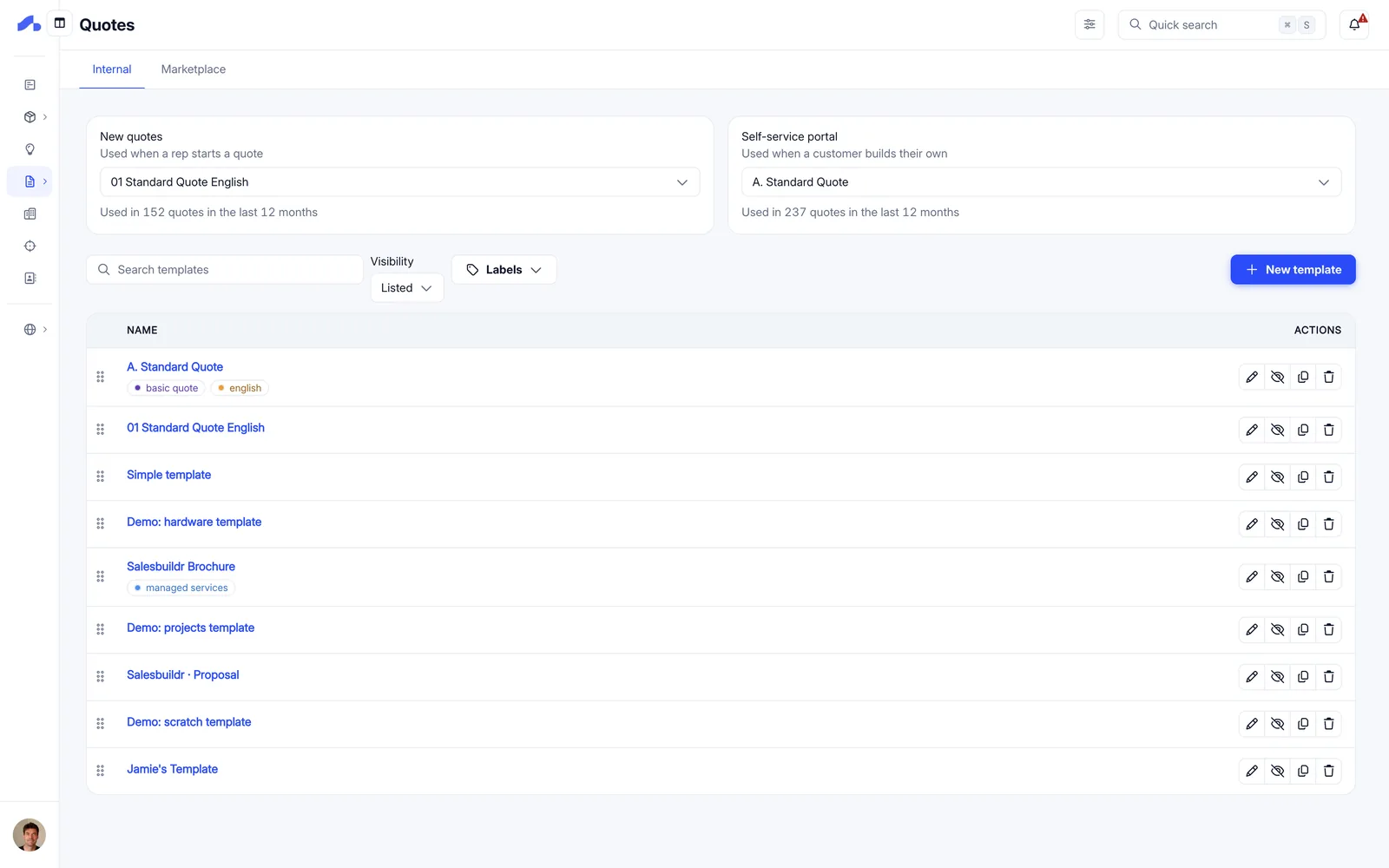
See how a template is built from reusable widgets, tied to your catalog and approval rules, so every rep sends the same strong quote.
Quote templates and widgets: one template, every rep
2:13 · Recorded October 2026
Before the fancy bits, every dependable proposal shares the same spine, including product and service description pages linked to your portfolio. In Salesbuildr you capture that spine once as a quote template, then every seller starts from the same professional document.
Brand, client, opportunity, and a clear title, finished on page one.
Why you’re proposing, what success looks like, and how you work together.
Reusable description blocks linked to portfolio items, SKUs and narrative stay consistent.
Baseline terms your firm always needs in the pack.
Totals, recurring vs one-off, and the commercial story at a glance.
Longer PDFs and policies that travel with the quote.
Widget templates are the blocks you drop into a quote template. Keep variants for tone, portfolio depth, and vendor proof, without rebuilding the document each time.
Watch how widget templates drop into a sales template to preset a proposal, pick the template, link the blocks, and you’re ready to personalize.
When templates and widgets are tied to the portfolio, every seller tells the same story with the same commercial truth. Your agent, or your team, can inventory quote templates and widget templates via the Public API so the library stays governed. The goal is not prettier one-offs; it is a proposal system you build once.
Book a demo to see your cover, intro variants, and portfolio-linked widgets assembled into a template your team can reuse.
Common questions about templates and signatures.
Yes. Each user sets their signature once in Manage My Profile. Add the signature placeholder to your quote or template, and your signature is on the proposal before it’s sent. Your client’s signature appears next to it when they accept, so there’s no separate countersign step afterwards.
A branded proposal they accept online, with your signature already on it if you use the signature placeholder. See what your client sees.
Yes. Salesbuildr ships with default templates you can start from and adapt to your brand, and the widget marketplace has ready-made content blocks.
No. Templates are built in a visual drag-and-drop editor. Widgets are ready-made content blocks you arrange in order, and the styling panel sets colours, fonts, margins, letterhead and page numbering. Teams that want it can also use custom HTML.
Widgets and their order; styling such as colours, fonts, margins, letterhead images and page numbering; a branded cover page; quote settings such as payment terms, contract duration, currency and signature requirements; attachments that go with every quote; label overrides; and language settings. Company-wide fonts, colours, margins and covers can be set once and are inherited by every template.
Yes. Templates support variables, including custom fields, so details such as a PO number or a company registration number can appear in your proposals.
Yes. Give a template a primary localization, and whoever builds the quote can switch it per quote before sending. Each localization sets the language and the customer-facing labels. See Multi-language.
Bring a real proposal. We’ll map it to a quote template and a small widget library.
Prefer to read first? Download our free guide, The Decision-Ready MSP Proposal.