

The ConnectWise Manage quoting integration that keeps every opportunity in sync.
Salesbuildr is the sales system for ConnectWise MSPs, and quoting is where it starts. Build from your ConnectWise catalog at distributor pricing, send a branded proposal your customer accepts online, and the won deal updates the ConnectWise opportunity with every line item visible in ConnectWise Manage. Live in 2 to 4 weeks.
How we handle your PSA data: Security and legal · Compare alternatives · Switching from ConnectWise CPQ? See how it compares

Talk to Victor or Micha


They will walk you through switching on the demo.


See it in ConnectWise: from quote to won opportunity
Quote lines go onto the ConnectWise opportunity as opportunity products when you send the quote. The client e-signs with a PO number, and on approval the signed PDF is attached. You can see when they open and view the proposal. From the approved quote you click Create ticket.
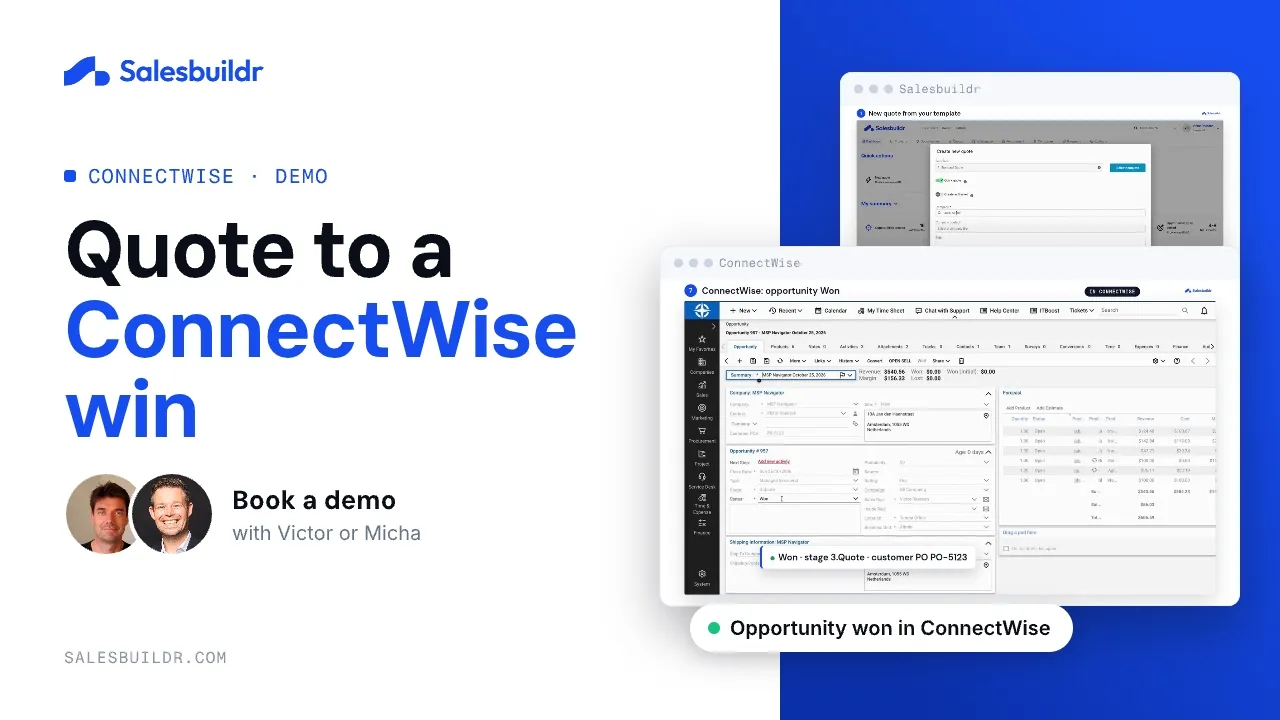
ConnectWise: from quote to won opportunity
1:27 · Recorded October 2026
Which quoting software works with ConnectWise Manage?
Salesbuildr is MSP quoting software that connects natively to the ConnectWise Manage API. You build quotes from your ConnectWise catalog and distributor pricing, and the ConnectWise opportunity, with the quote lines as opportunity products, stays current while you sell. Quote lines go onto the ConnectWise opportunity as opportunity products when you send the quote and stay current as you edit. On approval the signed PDF is attached. From the approved quote you add recurring services to a new ConnectWise agreement or to an existing one, with the effective date you choose. From the approved quote you click Create ticket. No middleware and no extra ConnectWise license.
What ConnectWise MSPs tell us about quoting today
The current quoting tool feels clunky, and only a few people know how to use it.
Salesbuildr gives your team one quote editor with saved templates and a grid view for line items, so anyone on the team can build a quote.
You only see what a quote looks like once you export it to PDF.
The cover page, styling and wording come from your template, so every quote goes out in the same branded layout, and the customer accepts it online.
Pax8 and distributor products have to be created by hand before you can quote them.
Search Pax8 and your other connected distributors from inside the quote and add products at distributor pricing and stock.
The opportunity in ConnectWise gets updated by hand, or not at all.
Quote lines go onto the ConnectWise opportunity as opportunity products when you send the quote and stay current as you edit. On approval the signed PDF is attached. From the approved quote you add recurring services to a new ConnectWise agreement or to an existing one, with the effective date you choose. From the approved quote you click Create ticket.
What if it turns out worse than what we had?
Run it on real quotes. Salesbuildr can run next to your current tool while your team moves over, and you are covered by the 30-day money-back guarantee and the 30-day ROI guarantee.
Switching from ConnectWise CPQ or Sell?
Salesbuildr imports your catalog and agreements from ConnectWise Manage. Companies sync both ways, and opportunities sync both ways. New contacts are created in ConnectWise, and edits made in ConnectWise come back to Salesbuildr. From the approved quote you add recurring services to a new ConnectWise agreement or to an existing one, with the effective date you choose. Most MSPs are fully live and quoting in Salesbuildr within 2 to 4 weeks of kickoff.
Compare Salesbuildr and ConnectWise CPQService gaps and renewals from ConnectWise contracts
See which customers are missing which services, and which contracts are up for renewal, based on your ConnectWise agreements. Whitespace is on the Advanced plan and up.
Service gaps
See which customers are missing which services.
Contract intelligence
Compare what each customer already has with the services you sell, before you quote.
Contract renewals
See which contracts are up for renewal, and when they expire.
What syncs with ConnectWise Manage
What moves between Salesbuildr and ConnectWise Manage, in which direction, when, and what you do.
| What | Direction | When | What you do |
|---|---|---|---|
| Companies and contacts | New contacts are created in ConnectWise, and edits made in ConnectWise come back to Salesbuildr. | Companies sync both ways. The initial sync takes 10 to 20 minutes. | Pick the company and contact from the synced list. |
| Opportunities | Both ways | Stages sync once you map them. Quote lines go onto the ConnectWise opportunity as opportunity products when you send the quote and stay current as you edit. On approval the signed PDF is attached. | Keep the quote linked to the opportunity while you sell. |
| Products and services | From ConnectWise, with the source set per product type | Imported on the initial sync. Service and labour changes arrive by callback; run a manual sync after bulk hardware changes in ConnectWise. New products are created in ConnectWise. | Set the source per product type. Quote from your ConnectWise catalog plus connected distributors. |
| Accepted quotes | Salesbuildr → ConnectWise | Quote lines go onto the ConnectWise opportunity as opportunity products when you send the quote and stay current as you edit. On approval the signed PDF is attached. | From the approved quote you add recurring services to a new ConnectWise agreement or to an existing one, with the effective date you choose. From the approved quote you click Create ticket. |
| Agreements | Both ways | Read for whitespace (Advanced plan and up). From the approved quote you add recurring services to a new ConnectWise agreement or to an existing one, with the effective date you choose. | See service gaps per client on the Advanced plan and up. |
Billing frequency comes from ConnectWise
Salesbuildr reads monthly, yearly or one-off from either your Billing Frequency or your Unit of Measure field. Pick one and use it on every product.
A few ConnectWise specifics
Map every opportunity stage: unmapped stages don’t update. Keep part numbers in the MPN field so distributor products match.
If you disable a ConnectWise product category, re-map it in Salesbuildr. Mapping changes apply to future syncs only.
Problems you can see and retry
If a record fails to sync, it shows up under Settings → Tools → Issues, where you can fix the cause and retry.
More detail: what syncs between MSP quoting and your PSA and what happens in your PSA when the client says yes.
MSPs running ConnectWise
“The learning curve was really short. We started quoting within a couple of days of purchasing the product, and the support team has been fantastic throughout. We drew a line in the sand and said all new quotes start here. Within a week, we were out of questions and didn’t miss our old system.”
“What used to take half a day now takes a couple of minutes.”David Green, Inside Sales Manager · Nostra
Nostra is a large MSP from Ireland running Salesbuildr on top of their PSA to cut proposal turnaround from hours to minutes.
Watch the Nostra storyHow did an MSP fix its ConnectWise quoting with Salesbuildr?
- A 40-person US MSP cleaned up their ConnectWise Manage catalog and was quoting within days, fully cut over within a week.
Most MSPs are fully live and quoting within 2 to 4 weeks of kickoff. See how onboarding works.
Plans, users and onboarding fees are on the pricing page. See pricing.
Salesbuildr also integrates natively with Autotask and Halo. Connect your distributor network through Pax8 or browse the full global distributor catalog.
ConnectWise quoting questions
Where should hardware come from?
You set the data source per product type, ConnectWise or Salesbuildr. Keep each part number in the MPN field so distributor products match.
Do I need an extra ConnectWise license for the integration?
No. The API member that Salesbuildr uses needs a security role, but no additional ConnectWise Manage license.
Does whitespace analysis work with ConnectWise agreements?
Yes. Salesbuildr reads agreement and service data directly from ConnectWise Manage and compares it against your portfolio to flag customers missing coverage.
Are new products created in the PSA?
New products are created in ConnectWise.
How is Salesbuildr different from ConnectWise CPQ (Sell)?
ConnectWise CPQ, historically Sell or Quosal, is the quoting module inside the ConnectWise stack, and it suits MSPs who want quoting from the same vendor as their PSA. Salesbuildr is an MSP sales system that works with ConnectWise Manage as well as Autotask and Halo, adds whitespace analysis on your ConnectWise agreements (Advanced plan and up), pulls distributor pricing from 50+ distributors (up to 6 on Standard, 8 on Advanced and 10 on Premium) and offers a client storefront as a Premium add-on. Compare them side by side on the comparison page.
Have another question? Email us or book a demo and we’ll get back to you within one business day.
See Your Catalog Quoted in Salesbuildr
On a demo we build a quote from your catalog and show what updates in ConnectWise Manage.
Book a demo