
Quote once. Your PSA stays in sync.
Connect Autotask, ConnectWise or Halo. Your draft quote creates and keeps the PSA opportunity and quote up to date, and on approval the signed proposal is attached as a PDF.
“The transition from the existing tool to Salesbuildr was pretty painless.” Perry Ashby, CEO, Urban Network · Urban Network case study



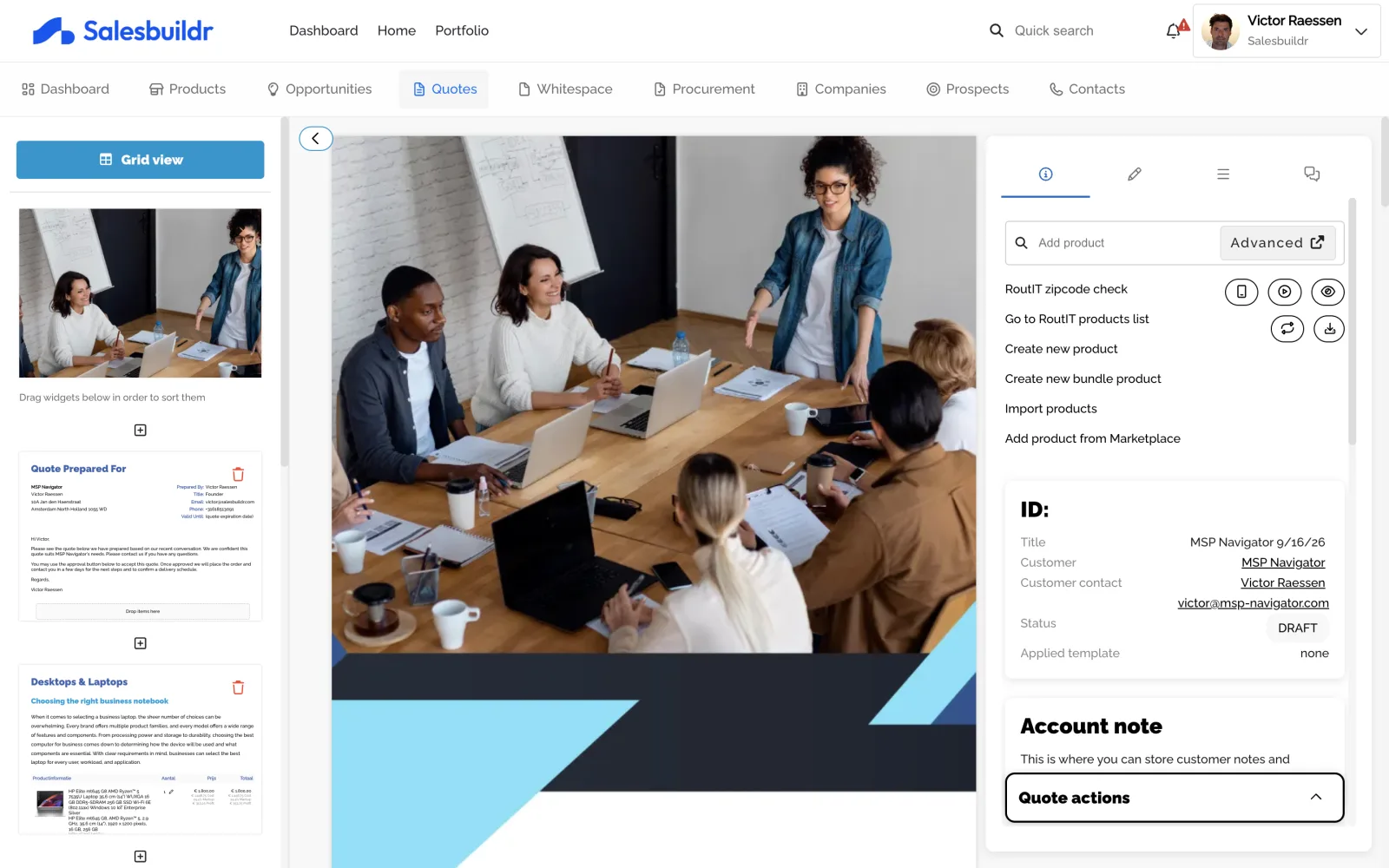



Why this step matters
Native Autotask, ConnectWise, Halo
Companies, contacts, products and services, opportunities, and contracts or agreements, mapped per PSA.
Accepted quotes continue into the PSA
Accepted quotes update the PSA opportunity and quote. From the approved quote you add recurring services to a contract or agreement, and you click Create ticket (Autotask, ConnectWise) or Create sales order (Halo).
One PSA per tenant
Integrations are exclusive: pick the PSA your tenant runs and Salesbuildr syncs with that one.
Issues you can see and retry
PSA sync issues surface under Settings → Tools → Issues when something needs attention.
What syncs with each PSA
Autotask
- Companies and contacts sync both ways, with real-time webhooks for changes made in Autotask.
- Opportunities sync both ways; changes made in Autotask are pulled every 10 minutes.
- Products, services and labour roles come from Autotask, mapped by category.
- Accepted quotes update the Autotask opportunity and quote, with every line visible. From the approved quote you add recurring services to a new or existing contract and click Create ticket. With procurement on, placing the distributor order creates the purchase order in Autotask.
ConnectWise Manage
- Companies sync both ways. Contacts you add in Salesbuildr are created in ConnectWise, and contact changes made in ConnectWise come into Salesbuildr by callback.
- Opportunity stages sync both ways once you map them.
- Your product catalog and agreements come in from ConnectWise Manage.
- From the approved quote you add recurring services to a new ConnectWise agreement or to an existing one, with the effective date you choose. You click Create ticket.
Halo
- Companies, sites and contacts sync both ways through Halo webhooks.
- Ticket-based opportunities sync both ways.
- Halo items come in with their category, mapped to product types by asset group.
- The quote is a Halo quotation from send, and its status follows on approval. From the approved quote you click Create sales order and add recurring services to a Halo contract. Contracts are also read for whitespace.
See it sync with your PSA
 Micha Bos
Sales Director, Europe
Micha Bos
Sales Director, Europe

How each PSA syncs
| Autotask | ConnectWise Manage | Halo | |
|---|---|---|---|
| Companies and contacts | Both ways, real-time webhooks | Companies sync both ways. New contacts are created in ConnectWise, and edits made in ConnectWise come back to Salesbuildr. | Both ways, real-time webhooks |
| Opportunities | Both ways; Autotask changes every 10 minutes | Both ways for mapped stages; opportunity changes arrive by callback | Both ways, ticket-based; status by webhook |
| Products and services | From Autotask, by category | From ConnectWise, source set per product type | From Halo, category required |
| New distributor or catalog products | New products are created in Autotask | New products are created in ConnectWise | New products are created in Halo |
| Product edits | With Synchronize to Autotask on, later edits to linked products go back | With Synchronize to ConnectWise on, later edits to linked products go back | With Synchronize to Halo on, later edits to linked products go back |
| Accepted quote | Opportunity and quote update. From the approved quote you click Create ticket. With procurement on, placing the distributor order creates the purchase order. | Opportunity updates. From the approved quote you add recurring services to a new or existing agreement, and you click Create ticket. | Quotation from send; status updates on approval. From the approved quote you click Create sales order. |
| Recurring billing | Create a recurring service contract or add to an existing one | Billing Frequency or Unit of Measure field | Billing frequency on the Halo item |
| Contracts | Read for whitespace. From the approved quote you add recurring services to a new or existing contract. | Read for whitespace. From the approved quote you add recurring services to a new or existing agreement. | Read for whitespace. From the approved quote you add recurring services to a new or existing contract. |
Watch the sync in your PSA
Pick your PSA to see what lands there after the client signs.
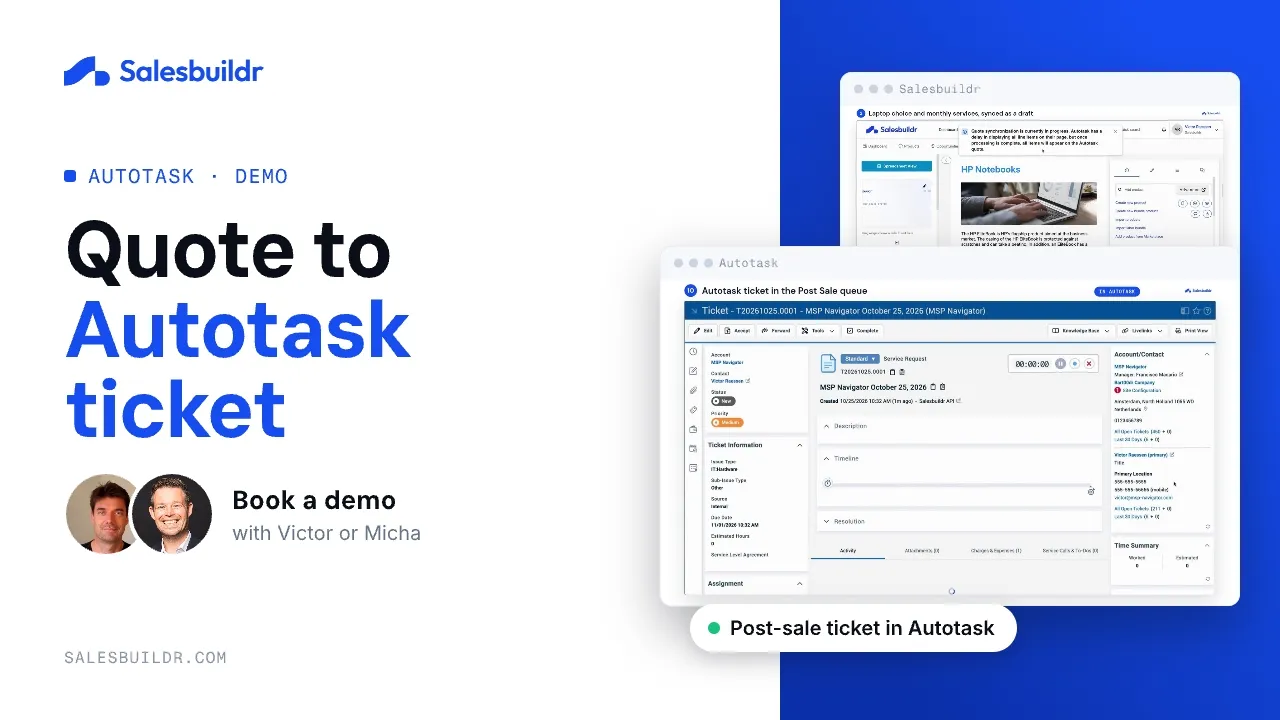
Autotask: from signed quote to post-sale ticket
1:31 · Recorded October 2026
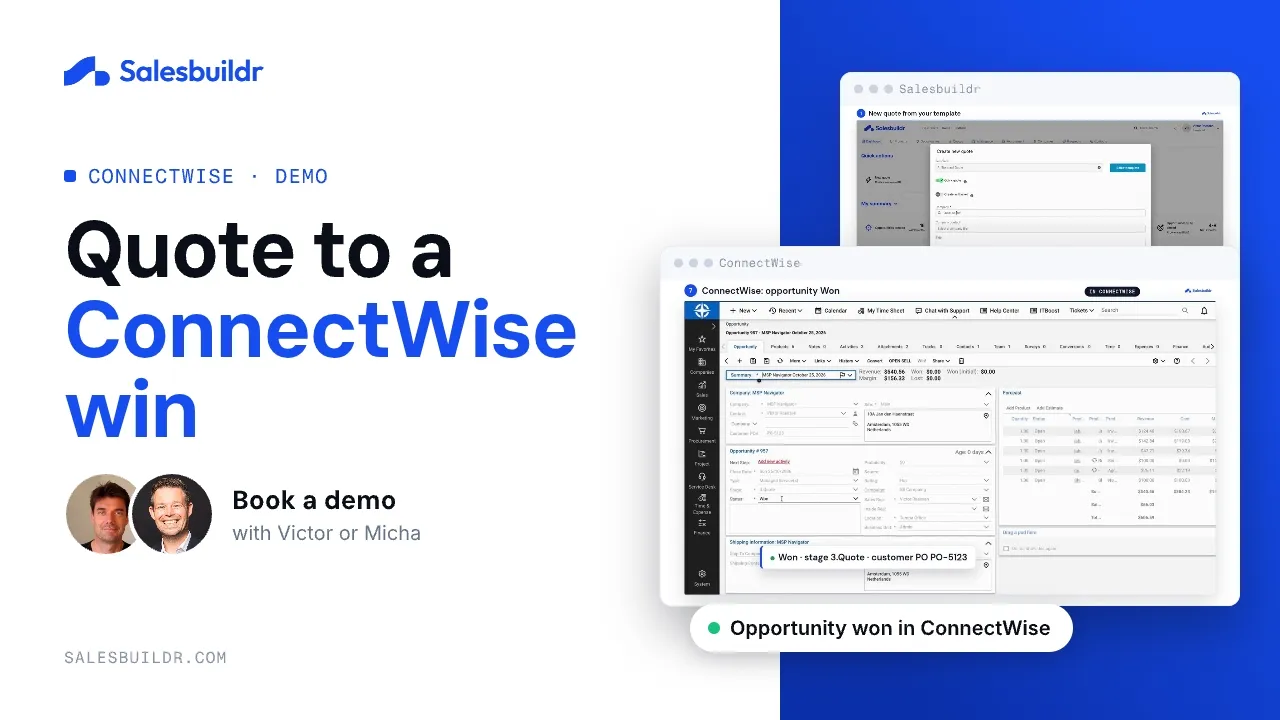
ConnectWise: from quote to won opportunity
1:27 · Recorded October 2026
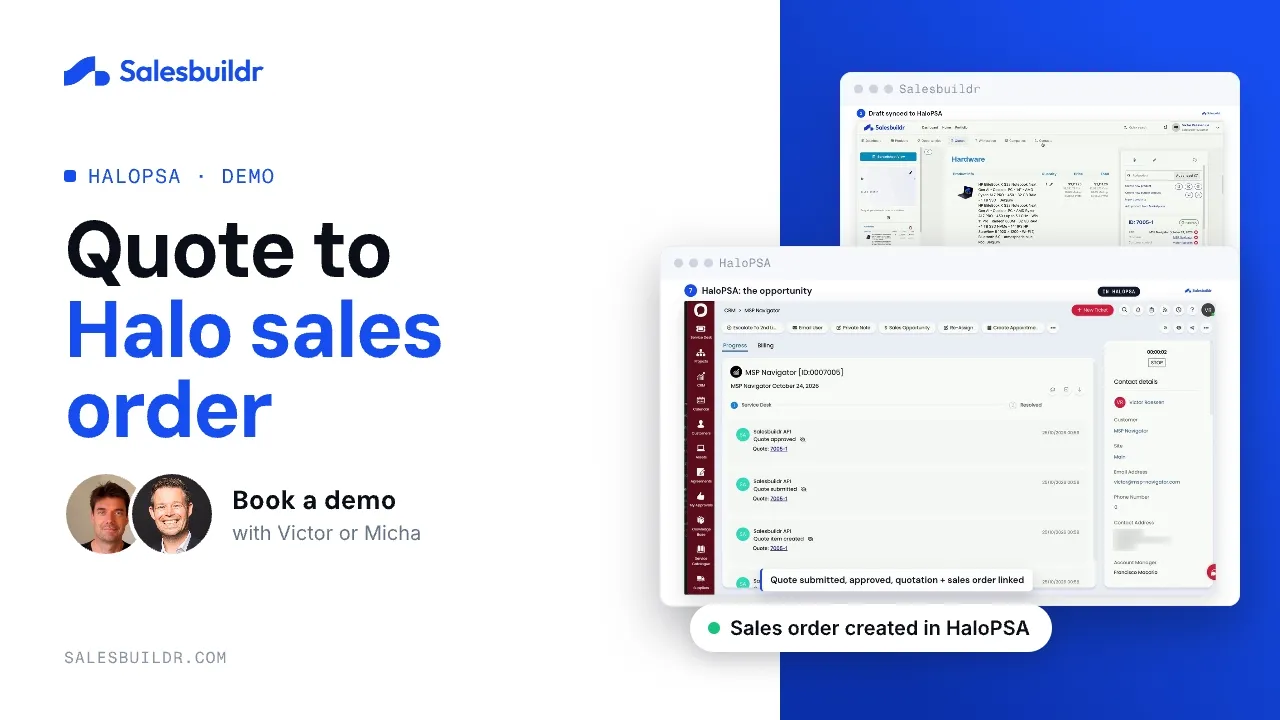
Halo: from quote to sales order
1:46 · Recorded October 2026
In Salesbuildr
- Connect your PSAComplete Autotask, ConnectWise, or Halo setup for the tenant.
- Initial sync and ongoing updatesCompanies and contacts update in real time through your PSA’s webhooks or callbacks; other records follow each PSA’s sync schedule.
- Sell in SalesbuildrQuotes and opportunities stay linked while sellers propose.
- Approval and follow-upOn approval, the signed PDF is attached and the opportunity and quote are updated. From the approved quote you click Create ticket (Autotask, ConnectWise) or Create sales order (Halo), and you add recurring services to a contract or agreement.
What updates in real time depends on the PSA. Autotask, for example, has no opportunity webhooks, so opportunity changes made in Autotask are picked up every 10 minutes.
Before you connect, known limits and fit
Before you connect
- Decide which system owns each kind of product: hardware, software, services and labour.
- List every opportunity stage and quote status you use, and what each should map to.
- On approval the opportunity and quote update. From the approved quote you click Create ticket or Create sales order, and you add recurring services to a contract. With procurement on, placing the distributor order creates the purchase order in Autotask or Halo.
- Autotask: give every product category an Autotask billing code, and switch on webhooks for real-time company and contact changes.
- ConnectWise Manage: the API member needs a security role, but no extra ConnectWise license. Keep part numbers in the MPN field.
- Halo: give every item a category, or it won’t sync.
Known limits
- One PSA per tenant. Records can’t be split across two PSAs.
- Autotask has no opportunity webhooks, so opportunity changes made in Autotask are pulled every 10 minutes.
- Autotask Service Bundles don’t sync; rebuild them as Salesbuildr bundles. Multi-select UDFs aren’t supported.
- Product edits or inactivations made in Autotask need a manual sync from Salesbuildr.
- ConnectWise Manage: unmapped stages don’t update, and mapping changes apply to future syncs only.
- Halo: a price change on an existing Halo item comes over with the next import. Contracts are read for whitespace, and recurring services from an approved quote can be added to a new or existing Halo contract.
A good fit if you…
- run Autotask, ConnectWise Manage or Halo, with HubSpot as an option for your pipeline;
- want accepted quotes to update the PSA without re-keying;
- quote recurring services together with one-off hardware, software and projects;
- want company changes in both systems within minutes, and contact changes in Autotask and Halo;
- want sync issues listed in one place, under Settings → Tools → Issues, with a retry.
Running another PSA, such as SuperOps? Connect it through the Salesbuildr API.
Record-by-record detail, including what doesn’t sync, is in what syncs between MSP quoting and your PSA.
Which MSPs run Salesbuildr PSA sync today?
- IMS Solutions Group: average sales cycle from 92 days to about 10 on Autotask
- Nostra: proposals from half a day to a couple of minutes, no re-keying into Autotask
- Urban Network: fixed Autotask sync errors; 12 to 15 templates cover about 90% of the business
- TCA Telecom and IT: 225 deals closed in six months after moving off Word and Excel
- PGH Networks: ConnectWise Manage catalog cleaned up; quoting within days, fully cut over within a week
PSA sync questions
Is there a tool that offers real-time integration with PSA systems for MSPs?
Yes. Salesbuildr integrates natively with Autotask, ConnectWise Manage and Halo. Company changes, and contact changes in Autotask and Halo, arrive through webhooks or callbacks, usually within 1 to 2 minutes. New contacts are created in ConnectWise, and contact changes made in ConnectWise come into Salesbuildr by callback. On approval the PSA opportunity and quote update. Other records follow each PSA’s sync schedule; for example, opportunity changes made in Autotask are pulled every 10 minutes.
Which PSA records update in real time?
Companies and contacts in Autotask and Halo update through webhooks, usually within 1 to 2 minutes. ConnectWise company changes, and contact changes made in ConnectWise, come back by callback. Halo also sends opportunity status changes by webhook, and ConnectWise sends opportunity changes by callback. Opportunity changes made in Autotask are pulled every 10 minutes.
What happens in my PSA when a client accepts a quote?
When the client accepts, the PSA opportunity and quote update. In Autotask, every line item is visible on the Autotask quote. From the approved quote you add recurring services to a new or existing contract and click Create ticket. With procurement on, placing the distributor order creates the purchase order in Autotask. In ConnectWise, the opportunity updates. From the approved quote you add recurring services to a new agreement or to an existing one, with the effective date you choose, and you click Create ticket. In Halo, the quote is a quotation from send and its status follows on approval. From the approved quote you click Create sales order and add recurring services to a new or existing Halo contract. Contracts are also read for whitespace.
Are new products created in the PSA?
New products you create in Salesbuildr are created in your PSA too, so quote lines always point at a real PSA item. With Synchronize to your PSA on, later edits to linked products go back as well.
Can I connect more than one PSA?
No. Integrations are exclusive: pick the PSA your tenant runs and Salesbuildr syncs with that one.
Can I connect another PSA or tool, such as SuperOps?
Salesbuildr has native integrations with Autotask, ConnectWise Manage, Halo and HubSpot. Other tools can be connected through the Salesbuildr API. The API reference lists the entities the API exposes and the webhooks you can subscribe to.
Want to see it with your own PSA?
Micha Bos
Sales Director, Europe